Providers of embedded content can test new or experimental web platform features.
[Origin trials](https://developer.chrome.com/docs/web-platform/origin-trials) are a way to test a new or
experimental web platform features with real users.
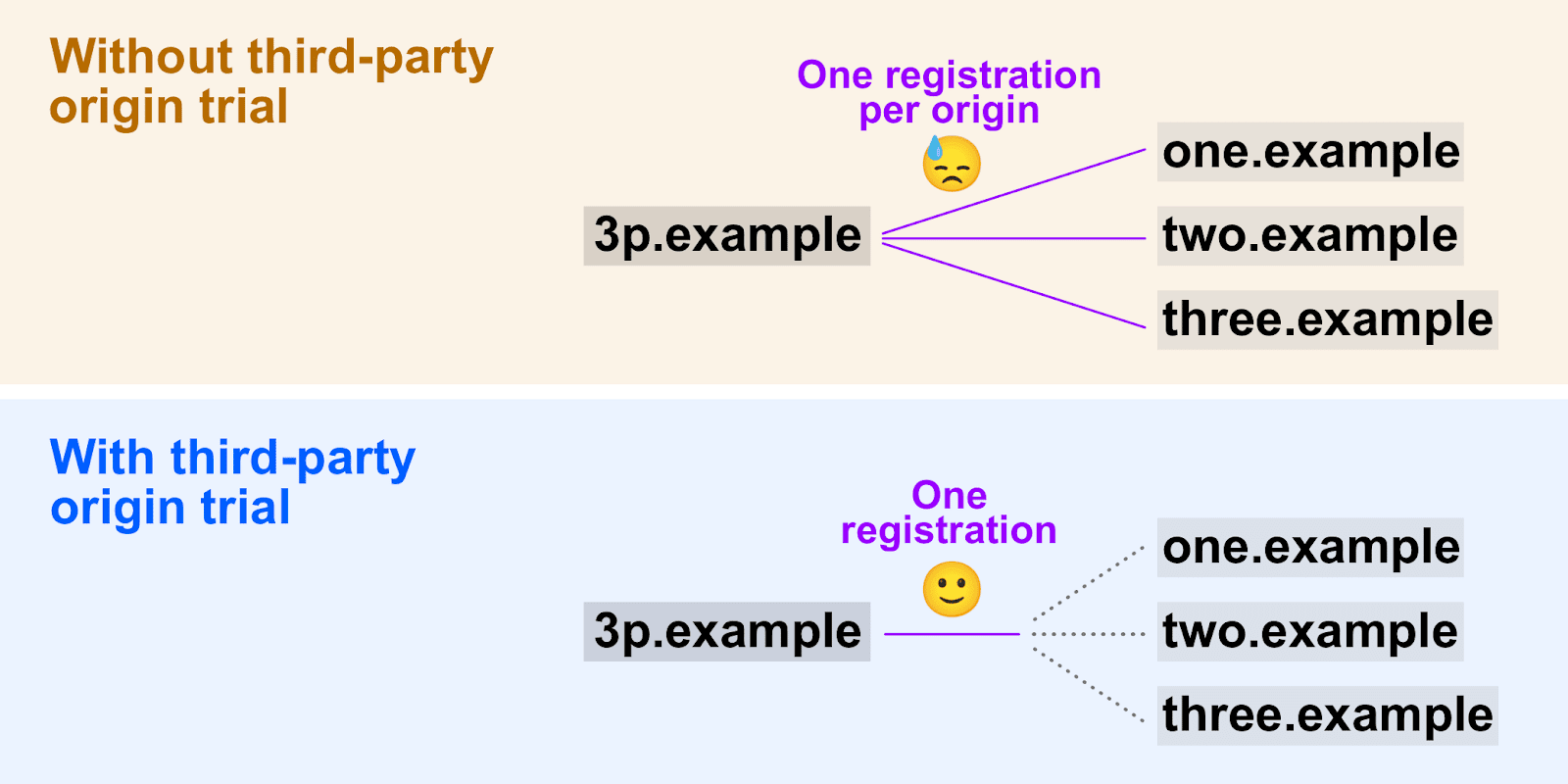
Origin trials are usually only available on a first-party basis. This means,
the features only work on the registered
[origin](https://web.dev/same-site-same-origin#origin). If a developer wants to
test an experimental feature on other origins where their content is embedded,
those origins all need to be registered for the origin trial, each with a unique
trial token. This isn't a scalable approach for testing scripts that are
embedded across a number of sites.
Third-party origin trials make it possible for providers of embedded content to
try out a new feature across multiple sites by
[providing a token using JavaScript](https://developer.chrome.com/docs/web-platform/third-party-origin-trials#provide-token).
Third-party origin trials don't make sense for all features. Chrome only offers
the third-party origin trial option for features where embedding code on
third-party sites is a common use case.
If you're new to origin trials, start by reading
[Get started with Chrome origin trials](https://developers.chrome.com/origintrials/).
If you participate in an origin trial as a third-party provider, it's your
responsibility to notify and set expectations with any partners or customers
whose sites you intend to include in the origin trial. Experimental features
may cause unexpected issues and browser vendors may not be able to provide
troubleshooting support.
Supporting third-party origin trials allows for broader participation.
> [!CAUTION]
> **Caution:** Third-party origin trial support increases the potential for overuse or abuse of experimental features, so a "trusted tester" approach may be better. The greater reach of these trials requires that third-party provider web developers have additional scrutiny and responsibility. Requests to enable a third-party origin trial may be reviewed to avoid problematic third-party scripts from affecting multiple sites. Read about the [approval process](https://github.com/GoogleChrome/OriginTrials/blob/gh-pages/developer-guide.md#18-how-can-i-enable-an-experimental-feature-as-embedded-content-on-different-domains).
Check [Chrome Platform Status](https://www.chromestatus.com/features/5691464711405568)
for updates on progress with third-party origin trials.
## Register for a third-party origin trial
1. [Select an active trial](https://developers.chrome.com/origintrials/#/trials/active).
2. Register for the trial and, if available, enable the option to request a third-party token.
3. For some trials, there are options for different usage restrictions when
registering for a token. If available, select one of following to restrict
usage for third-party tokens:
1. Standard Limit: [0.5% of Chrome page loads](https://github.com/GoogleChrome/OriginTrials/blob/gh-pages/developer-guide.md#3-what-happens-if-a-large-site-such-as-a-google-service-starts-depending-on-an-experimental-feature).
2. User Subset: A small percentage of Chrome users are excluded from the
trial, even when a valid third-party token is provided. The exclusion
percentage varies (or might not apply) for each trial, but is typically
less than 5%.
> [!NOTE]
> **Note:** There are no usage limits for deprecation trials, as they don't introduce new features and therefore don't risk making a significant proportion of the web dependent on a trial feature.
4. Click **Register** to submit your request.
5. Your third-party token is issued immediately, unless further review of the
request is required.
6. If review is required, you'll be notified by email when the review is
complete and your third-party token is ready.
 Registration page for the Conversion Measurement trial.
> [!CAUTION]
> **Caution:** A third-party token must be provided in an external JavaScript file included with a `