Some websites claim that allowing users to paste passwords reduces security.
However, password pasting actually *improves* security
because it enables the use of password managers.
Password managers typically generate strong passwords for users,
store them securely, and then automatically paste them
into password fields whenever users need to log in. This approach is generally
more secure than forcing users to type in passwords that are short enough
to remember.
In the general case, users should not be prevented from pasting into `` elements.
## How this Lighthouse audit fails
[Lighthouse](https://developer.chrome.com/docs/lighthouse/overview) flags code that prevents users from pasting into non-readonly input fields:
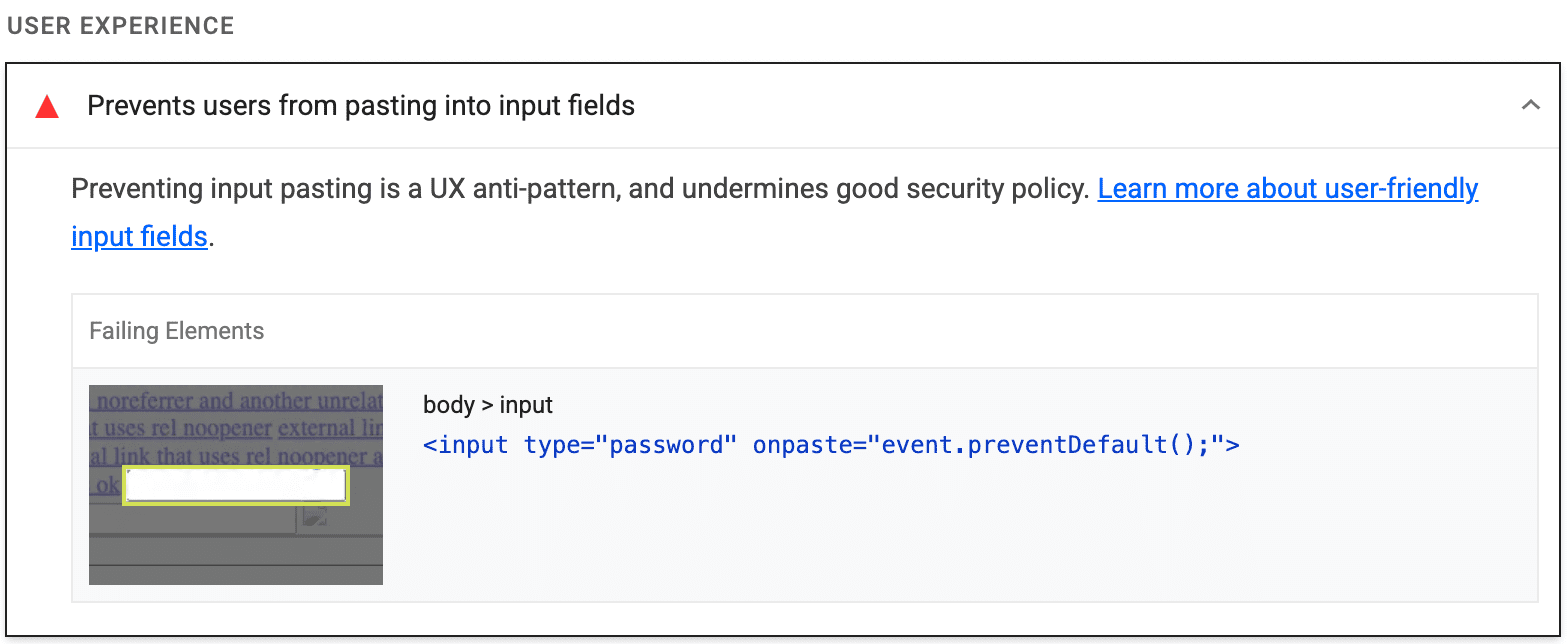
Lighthouse gathers all non-readonly `` elements,
pastes some text into each element,
and then verifies that `paste` event was not prevented by a custom event handler.
It's also possible to prevent pasting outside of a `paste` event listener.
Lighthouse doesn't detect that scenario.
> [!NOTE]
> **Note:** Each Best Practices audit is weighted equally in the Lighthouse Best Practices Score. Learn more in [The Best Practices
> score](https://developer.chrome.com/docs/lighthouse/performance/performance-scoring#best-practices).
## How to enable pasting into password fields
### Find the code that's preventing pasting
To quickly find and inspect the code that's preventing pasting:
1. Expand the [**Event Listener Breakpoints**](https://developer.chrome.com/docs/devtools/javascript/breakpoints#event-listeners) pane.
2. Expand the **Clipboard** list.
3. Select the **`paste`** checkbox.
4. Paste some text into a password field on your page.
5. DevTools should pause on the first line of code in the relevant `paste` event listener.
### Remove the code that's preventing pasting
The source of the problem is often a call to `preventDefault()`
within the `paste` event listener
that's associated with the password input element:
let input = document.querySelector('input');
input.addEventListener('paste', (e) => {
e.preventDefault(); // This is what prevents pasting.
});
If you're only listening to paste events to preempt them,
remove the entire event listener.
## Resources
[Source code for **Prevents users from pasting into input fields** audit](https://github.com/GoogleChrome/lighthouse/blob/main/core/audits/dobetterweb/paste-preventing-inputs.js)