A Content Security Policy (CSP) helps to ensure any content loaded in the page is trusted by the site owner. CSPs mitigate cross-site scripting (XSS) attacks because they can block unsafe scripts injected by attackers. However, the CSP can easily be bypassed if it is not strict enough. Check out [Mitigate cross-site scripting (XSS) with a strict Content Security Policy (CSP)](https://web.dev/articles/strict-csp) for more information. Lighthouse collects CSPs enforced on the main document, and reports issues from [CSP Evaluator](https://csp-evaluator.withgoogle.com/) if they can be bypassed.
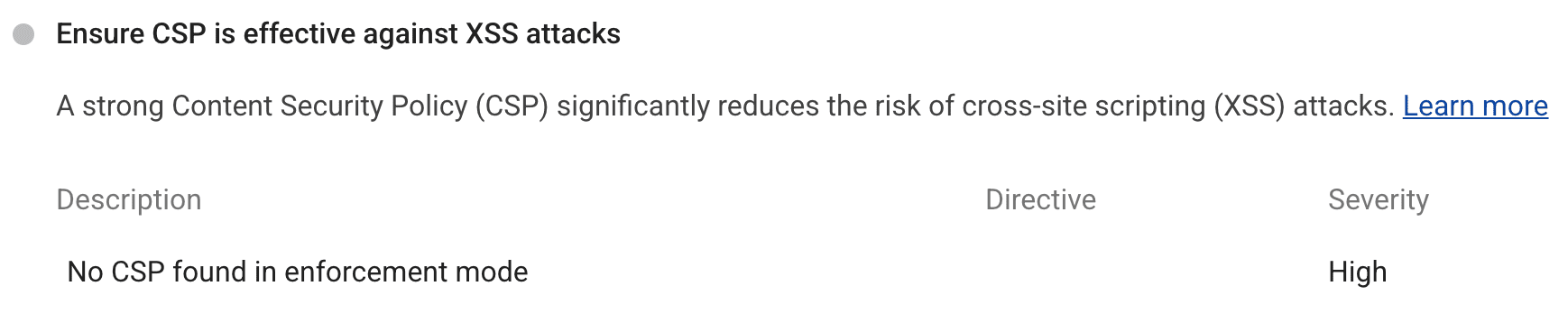 Lighthouse report warning that no CSP is found in enforcement mode.
## Required practices for a non-bypassable CSP
Implement the following practices to ensure that your CSP can't be bypassed. If the CSP can be bypassed, Lighthouse will emit a high severity warning.
### CSP targets XSS
To target XSS, a CSP should include the `script-src`, `object-src`, and `base-uri` directives. The CSP should also be free of syntax errors.
`script-src` and `object-src` secures a page from unsafe scripts and unsafe plugins respectively. Alternatively, `default-src` can be used to configure a broad policy in place of [many directives](https://developer.mozilla.org/docs/Web/HTTP/Headers/Content-Security-Policy/default-src) including `script-src` and `object-src`.
`base-uri` prevents the injection of unauthorized `` tags which can be used to redirect all relative URLs (like scripts) to an attacker-controlled domain.
### CSP uses nonces or hashes to avoid allowlist bypasses
A CSP that configures an allowlist for `script-src` relies on the assumption that all responses coming from a trusted domain are safe, and can be executed as scripts. However, this assumption does not hold for modern applications; some common, benign patterns such as exposing [JSONP interfaces](https://lcamtuf.blogspot.ch/2011/08/subtle-deadly-problem-with-csp.html) and [hosting copies of the AngularJS library](https://github.com/cure53/XSSChallengeWiki/wiki/H5SC-Minichallenge-3:-%22Sh*t,-it's-CSP!%22) allow attackers to escape the confines of CSP.
In practice, while it may not be obvious to application authors, [the majority of `script-src` allowlists can be circumvented](https://research.google.com/pubs/pub45542.html) by an attacker with an XSS bug, and provide little protection against script injection. In contrast, the [nonce-based and hash-based approaches](https://web.dev/articles/strict-csp#what_is_a_strict_content_security_policy) do not suffer from these problems and make it easier to adopt and maintain a more secure policy.
For example, this code uses a JSONP endpoint hosted on a trusted domain to inject an attacker controlled script:
CSP:
```text
script-src https://trusted.example.com
```
HTML:
```html
```
To avoid being bypassed, a CSP should allow scripts individually using nonces or hashes and use 'strict-dynamic' instead of an allowlist.
## Additional recommendations for a secure CSP
Implement the following practices for added security and compatibility. If the CSP does not follow one of the recommendations, Lighthouse will emit a medium severity warning.
### Configure CSP reporting
[Configuring a reporting destination](https://developer.chrome.com/docs/capabilities/web-apis/reporting-api.md.txt) will help monitor for any breakages. You can set the reporting destination by using the `report-uri` or `report-to` directives. `report-to` is not currently supported by all modern browsers so it is recommended to use both or just `report-uri`.
If any content violates the CSP, the browser will send a report to the configured destination. Make sure you have an application configured at this destination handling these reports.
### Define the CSP in an HTTP header
A CSP can be defined in a meta tag like this:
```html
```
However, you should define a CSP in an HTTP response header if you can. An injection before the meta tag will bypass the CSP. Additionally, `frame-ancestors`, `sandbox` and reporting are not supported in meta tag CSPs.
### Ensure CSP is backwards compatible
Not all browsers support CSP nonces/hashes, therefore adding `unsafe-inline` as a fallback for non-compliant browsers is recommended. If the browser does support nonces/hashes, `unsafe-inline` will be ignored.
Similarly, `strict-dynamic` is not supported by all browsers. It is recommended to set an allowlist as a fallback for any non-compliant browsers. The allowlist will be ignored in browsers that support `strict-dynamic`.
## How to develop a strict CSP
Below is an example of using a strict CSP with a nonce-based policy.
CSP:
```text
script-src 'nonce-random123' 'strict-dynamic' 'unsafe-inline' https:;
object-src 'none';
base-uri 'none';
report-uri https://reporting.example.com;
```
HTML:
```html
```
`random123` would be any base64 string generated server-side every time the page loads. `unsafe-inline` and `https:` are ignored in modern browsers because of the nonce and `strict-dynamic`. For more information about adopting a strict CSP, check out the [Strict CSP guide](https://web.dev/articles/strict-csp#adopting_a_strict_csp).
You can check a CSP for potential bypasses using Lighthouse and [CSP Evaluator](https://csp-evaluator.withgoogle.com/). If you want to test a new CSP without the risk of breaking existing pages, define the CSP in report-only mode by using `Content-Security-Policy-Report-Only` as the header name. This will send CSP violations to any reporting destinations you have configured with `report-to` and `report-uri`, but it will not actually enforce the CSP.