 Kayce Basques [X](https://twitter.com/kaycebasques) [GitHub](https://github.com/kaycebasques)  Alexandra Klepper [GitHub](https://github.com/alexandrascript) [Bluesky](https://bsky.app/profile/alexandrascript.com)
Suppose that you're testing the keyboard navigation accessibility of a page.
When navigating the page with the Tab key, the focus ring sometimes
disappears because the element that has focus is hidden. To track the focused
element in DevTools:
1. Open the **Console**.
2. Click 
**Create Live Expression**.
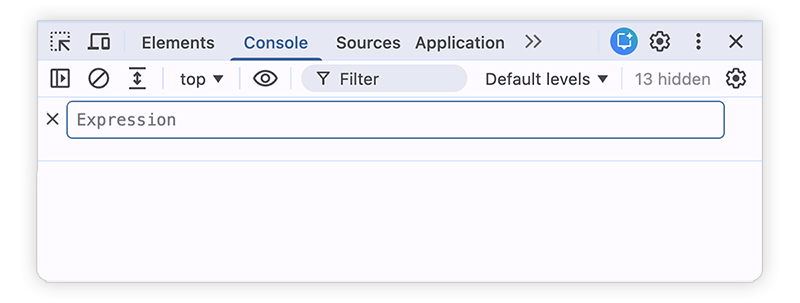
Learn more in [Watch JavaScript values in real-time with Live Expressions](https://developer.chrome.com/docs/devtools/console/live-expressions.md.txt).
3. Type `document.activeElement`.
4. Click outside of the **Live Expression** interface to save.
The value after `document.activeElement` is the result of the expression. Since
that expression always represents the focused element, you can keep track of
which element has focus.
- Hover over the result to highlight the focused element in the viewport.
- Right-click the result and select **Open in Elements panel** to show the element in the DOM Tree in the **Elements** panel.
- Right-click the result and select **Store as global variable** to create a variable reference to the node that you can use in the **Console**.