 José Luis Zapata [GitHub](https://github.com/zapata131) [LinkedIn](https://www.linkedin.com/in/zapata131) [Bluesky](https://bsky.app/profile/zapata131.bsky.social) [Homepage](https://www.zapata131.com)
Published: October 8, 2025
Passkeys reduce phishing risk and make sign-in easier. Beginning with Chrome
142, Chrome for Android helps users adopt passkeys more seamlessly. If a user
signs in with a saved password, your website can request that Google Password
Manager (GPM) **create a passkey automatically** using a [WebAuthn API
feature called
**Conditional Create**](https://developer.chrome.com/docs/identity/webauthn-conditional-create). Chrome does
not interrupt the user. After creation, Chrome shows a brief confirmation and a
**Manage** button that opens the new passkey in Google Password Manager
settings. Users can turn this feature off in Google Password Manager settings.
## What's new
- **Automatic creation on Android:** Your website can call WebAuthn to create a passkey with `mediation: "conditional"` after a password sign-in. If [eligibility checks](https://developer.chrome.com/docs/identity/webauthn-conditional-create#how_it_works) pass, Google Password Manager creates a passkey without user verification and returns the credential to your website.
- **Clear user notification:** Chrome shows a confirmation message and a
button to manage the passkey in Google Password Manager.
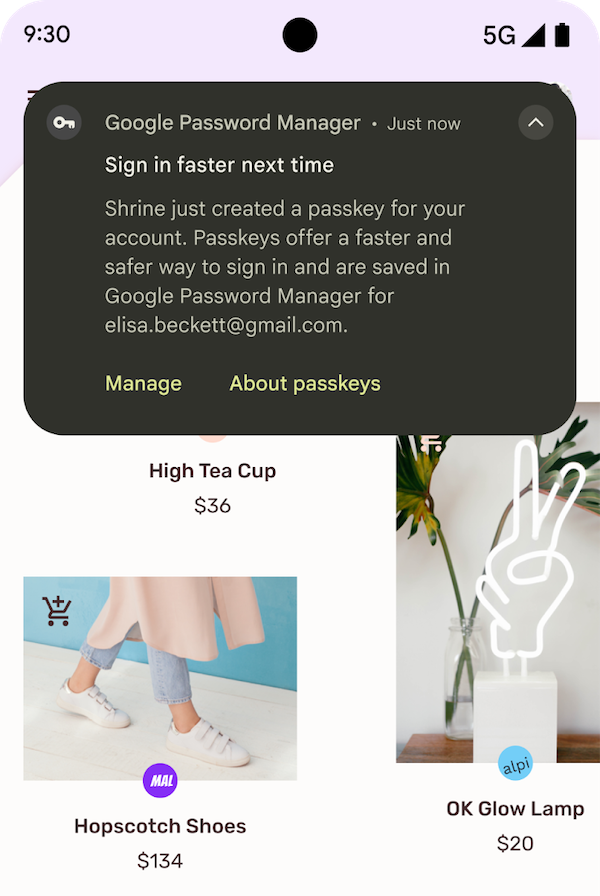 Confirmation message for automatic passkey creation
- **User control:** A toggle in Google Password Manager app settings lets
users disable automatic creation across devices. The setting syncs across
all of the user's devices.
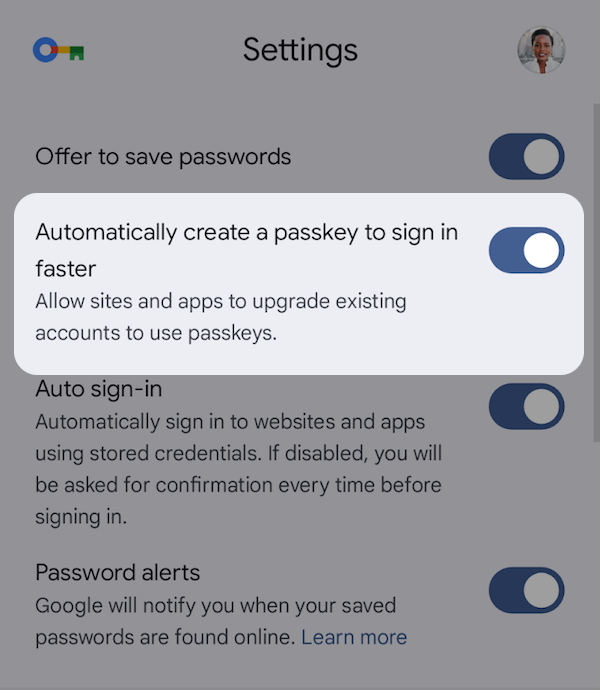 Google Password Manager settings showing a toggle for automatic passkey creation
## Compatibility
- Automatic passkey creation works in Chrome on Android and desktop, and [in
other browsers that support the
feature](https://passkeys.dev/device-support/). You can detect conditional create availability using [`getClientCapabilities()`](https://web.dev/articles/webauthn-client-capabilities).
- On Android, Google Password Manager supports automatic passkey creation.
## Summary
You can help users move from passwords to passkeys more seamlessly. After a
password sign-in, initiate automatic passkey creation to request passkey
creation without user verification. Chrome for Android handles eligibility,
creates the passkey in Google Password Manager, and lets users manage or opt out
of the feature.
## Learn more
- [Help users adopt passkeys more seamlessly](https://developer.chrome.com/docs/identity/webauthn-conditional-create)